

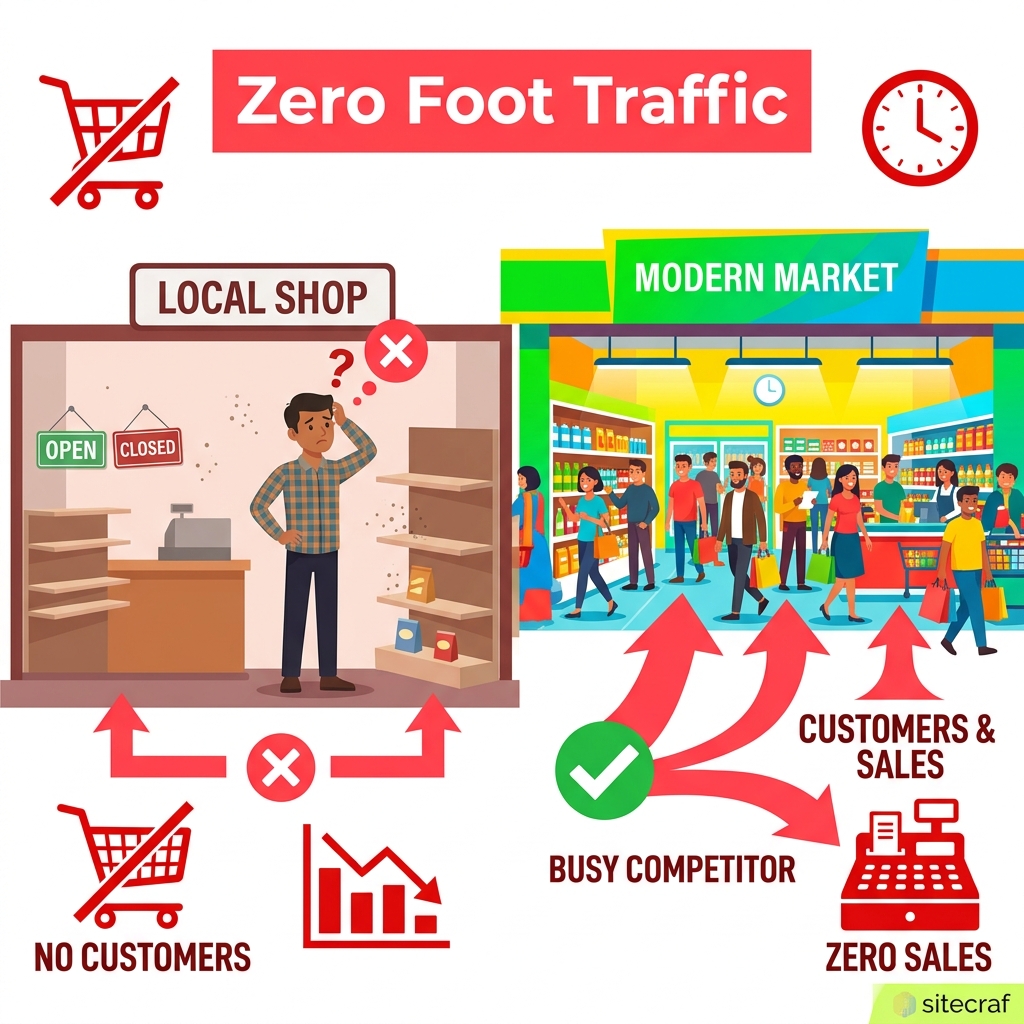
Imagine this: You run a popular clothing boutique in Mumbai. Your collection is the best in the neighborhood. Yet, when someone nearby searches for "clothing store near me," your competitor two streets down gets all the foot traffic. Why? Because their Google Business Profile is fully optimized, and yours is barely visible.
If you own a small business in India or Malaysia, your Google Business Profile is your digital storefront. It is often the very first thing a customer sees before deciding to visit or call. If you ignore it, you are handing money directly to your competitors.
Here is exactly how you can take control and optimize your profile to start getting more local customers today.
Why Your Local Business Needs a Perfect Profile
Most customers will not search for your exact shop name. They search for the service they need right now. They type "plumber in Delhi" or "cafe near me." Google looks at all the local profiles and shows the top three results. This is called the Local Pack.
If you are not in those top three spots, you are practically invisible. Optimizing your profile tells Google exactly what you do, where you are, and why you are the best choice. This builds trust with both the search engine and your potential buyers.
For example, a local bakery in Bangalore saw a 40% increase in WhatsApp inquiries just by updating their business hours and adding a menu link. Small changes lead to big results.
Claim and Verify Your Business
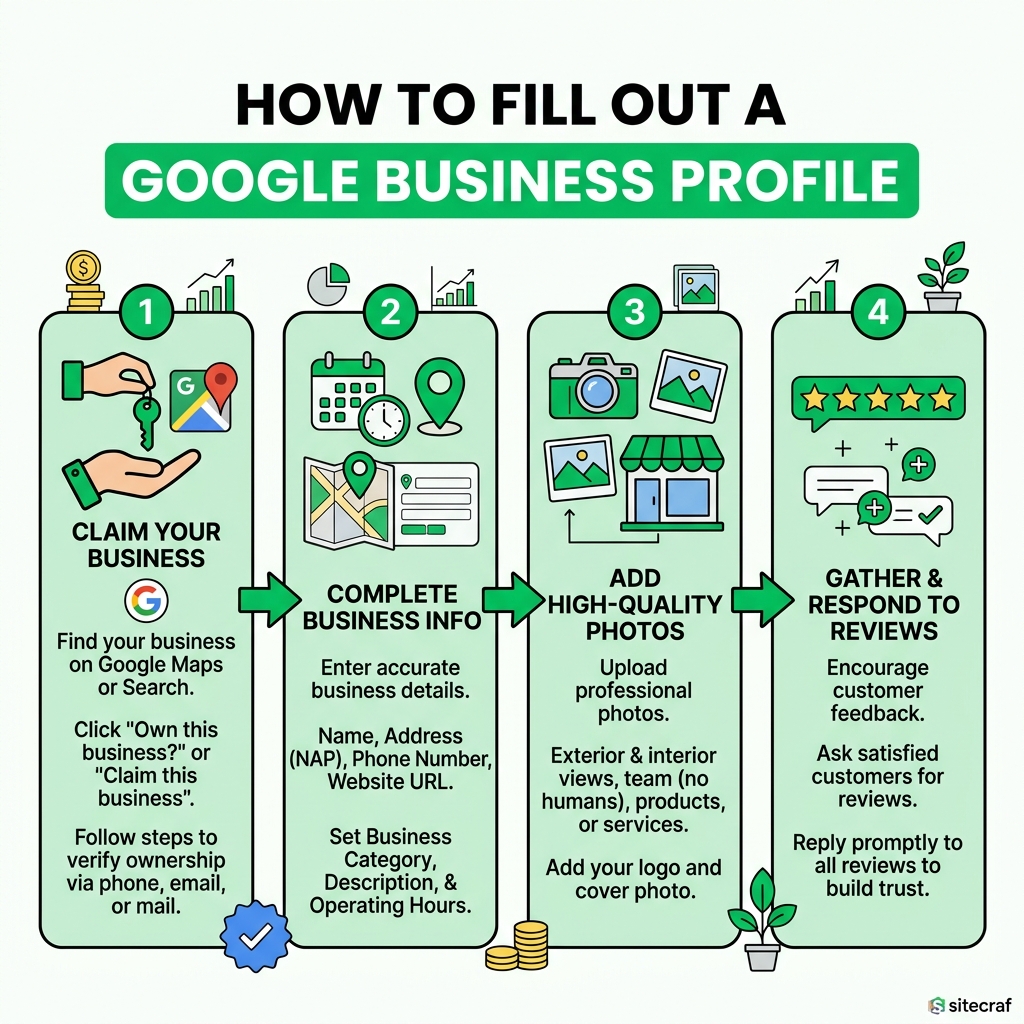
Before you can optimize, you must claim your listing. Search for your business name on Google Maps. If you see a button that says "Own this business?", click it immediately. Follow the steps to verify your ownership.
Google usually verifies businesses in India via a phone call, SMS, or a video recording of your storefront. Make sure you complete this step. An unverified profile will not rank well, and anyone can suggest incorrect edits to your business information.
Once verified, you have full control over what customers see.
Get Your Basic Information 100% Right
Your business name should be your actual real-world name. Do not stuff keywords into your title. If your shop is "Rahul Electronics," do not name it "Rahul Electronics Best Mobile Repair Delhi." Google can suspend your account for spam.
Your address must be exact. Pinpoint your location accurately on the map. Ensure your phone number is correct and active. Many Indian businesses lose leads simply because the listed phone number is switched off or incorrect.
Keep your business hours updated, especially during public holidays like Diwali or Eid. Nothing frustrates a customer more than traveling to your shop only to find it closed.
Choose the Perfect Business Categories
Your primary category is the most important factor for ranking. Choose the most specific category available. If you sell pizza, choose "Pizza Delivery" or "Pizza Restaurant" instead of just "Restaurant."
You can also add secondary categories. For instance, if you run a dental clinic that also offers cosmetic dentistry, add both. This helps you show up for a wider variety of searches in your local area.
Do not guess your categories. Look at the top three competitors in your area and see what categories they are using. This is a simple trick that works every time.
Add High-Quality Photos Regularly
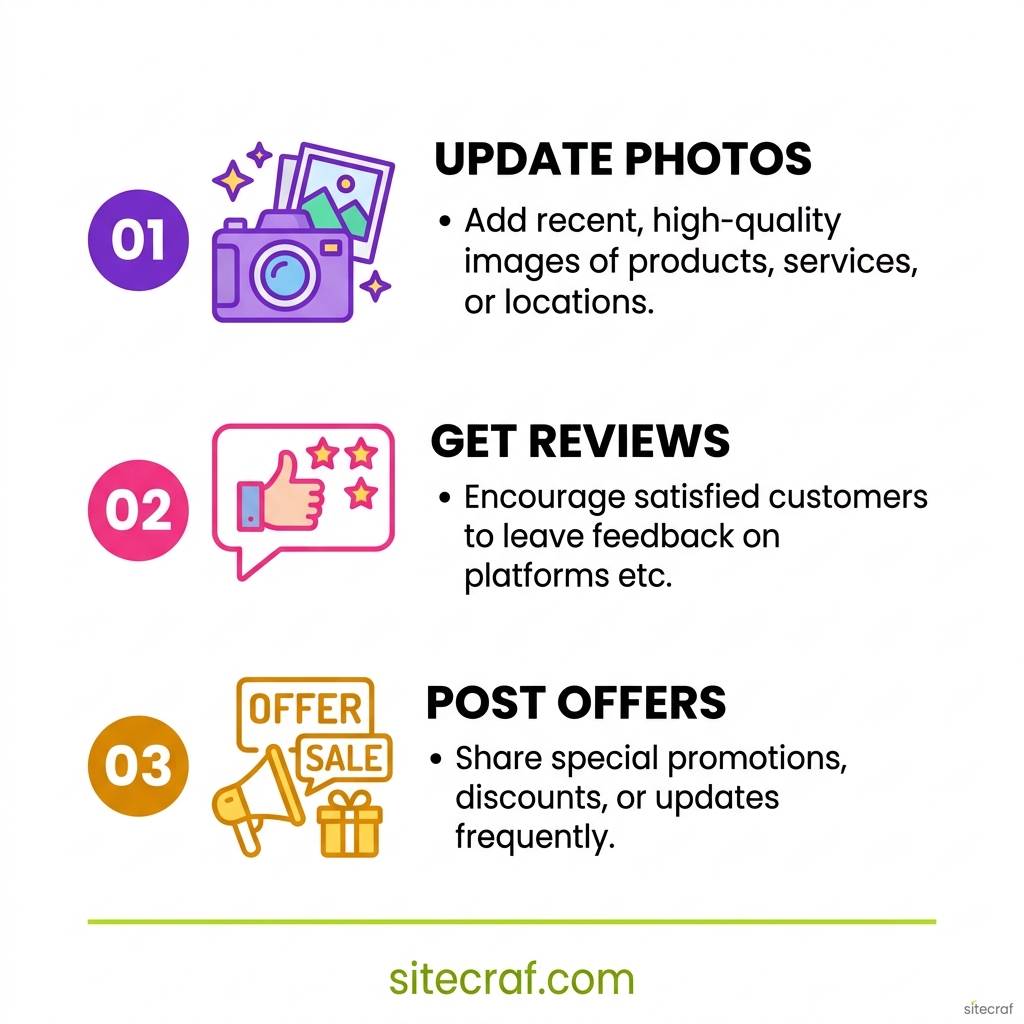
People love visuals. A profile with photos gets 42% more requests for directions. Upload clear, well-lit photos of your storefront, the inside of your shop, your products, and your team at work.
Do not use stock photos. Real photos build trust. If you run a salon, show happy customers. If you run a restaurant, show your best dishes. Add new photos at least once a month to show Google your business is active.
Remember, a customer looking for a reliable business wants to see real people and real work. Be authentic with your images.
Collect and Respond to Reviews
Reviews are digital word-of-mouth. A business with a 4.8 rating and 150 reviews will almost always beat a business with a 5.0 rating and only 2 reviews. Encourage your happy customers to leave a review before they leave your store.
You can send them a direct link to review your business via WhatsApp. When you get a review, always reply. Thank them for their time. If you get a negative review, reply politely and offer to fix the issue.
Responding to reviews shows new customers that you care about their experience. It also signals to Google that you are an engaged and active business owner. If you want more strategies on visibility, read our SEO + AEO + GEO complete guide for small businesses.
Use Google Posts to Share Updates
Google Posts are like free mini-ads that appear directly on your search results. You can use them to announce a new product, share a special discount, or highlight an upcoming event at your shop.
Keep your posts short and engaging. Always include a photo and a clear button like "Call Now" or "Learn More." For a retail shop in Malaysia, posting a weekend sale offer can directly drive foot traffic that same day.
Treat your Google Business Profile like a social media account that people actually use when they are ready to buy.

Add Products and Services Menus
If you sell physical items, use the Product editor to showcase your inventory. Add a photo, price, and description for your top-selling items. This allows customers to browse your offerings without even visiting your website.
Service businesses should use the Services section. List everything you do clearly. A chartered accountant can list tax filing (INR 1500), company registration (INR 8000), and audit services. Clear pricing removes hesitation.
This detailed information helps Google understand exactly what you do, increasing your chances of showing up for specific searches. To learn more about how Google assesses trust, check out this guide on E-E-A-T from Search Engine Journal.
Track Your Performance with Insights
Google provides free analytics for your profile. You can see how many people found you, what they searched for, and what actions they took. You can track if they called, asked for directions, or visited your website.
Check these insights monthly. If you see a lot of searches for a specific product you offer, make sure to create a Google Post about it. Data helps you make smarter decisions for your business.
If you are struggling to get traffic even after optimizing, you might need a dedicated website. Learn why most small business websites don't rank on Google to fix broader conversion issues.
Deal With Fake Reviews and Spam
Unfortunately, fake negative reviews happen. Competitors or disgruntled ex-employees might try to lower your rating. Do not panic.
First, respond professionally stating that you have no record of them as a customer. Then, flag the review to Google for removal. It might take a few days, but Google usually removes reviews that violate their policies.
Never buy fake positive reviews to boost your score. Google's algorithms are very smart and will penalize your profile if they detect unnatural review patterns.
Consistent NAP Citations Across the Web
NAP stands for Name, Address, and Phone number. Your NAP must be exactly the same across the entire internet.
If your Google profile says "Street 4, XYZ Colony" but your Facebook page says "St. 4, XYZ Col.", search engines get confused. Make sure your details match on JustDial, Sulekha, your website, and all social media profiles.
Consistency builds a strong foundation. For a deeper understanding of local ranking factors, Moz's Local SEO Guide is a highly respected resource.
Avoid Common Optimization Mistakes
Many business owners try to take shortcuts that end up hurting their rankings. One common mistake is creating multiple profiles for the same location. This splits your reviews and confuses Google.
Another mistake is leaving the Q&A section empty. Anyone can ask or answer a question on your profile. You should populate this section yourself. Ask common questions your customers have and answer them clearly.
Finally, do not set your business as open 24/7 unless you actually have staff working round the clock. Customers will report inaccurate hours, which damages your trust score with Google.
Keep Your Profile Fresh and Active
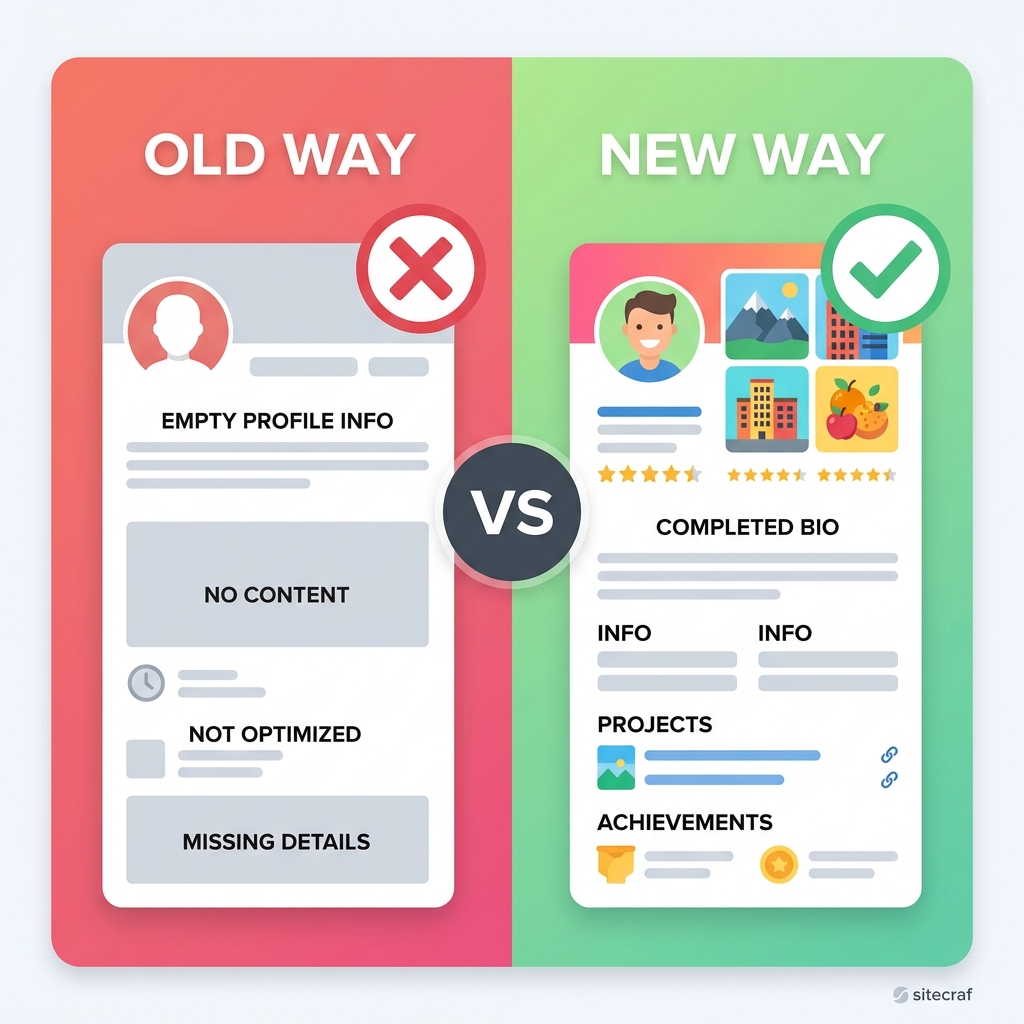
Optimization is not a one-time task. It requires ongoing maintenance. The businesses that dominate local search are the ones that update their photos, gather reviews, and post updates consistently.
Think of your Google Business Profile as a garden. You cannot just plant the seeds and walk away. You need to water it regularly.
Take 15 minutes every week to review your profile. Answer any customer questions, reply to new reviews, and upload a fresh photo from your phone. This small effort will yield massive returns over the entire year.
Chat with us on WhatsApp: wa.me/919599143235
If managing your online presence feels overwhelming, you don't have to do it alone. We help small businesses across India and Malaysia build high-converting websites and optimize their local SEO for maximum foot traffic.
Chat with us on WhatsApp today. Let's discuss how we can put your business at the top of local search results.